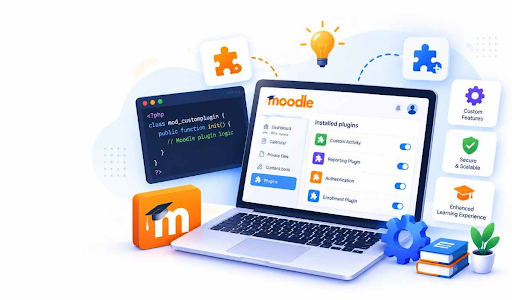
Each learning platform operates differently when it comes to the method of instruction. There are some that require customized attendance policies, and there are others that require unique dashboards and reports. With Moodle plugin development, learning platforms will have the opportunity to address these requirements using functionalities tailored to their day-to-day activities.
- Understanding Site-Specific LMS Needs: The users for each Moodle site vary. Parent access to updates on learning may be required for schools, and employee training documentation for companies may be required. A coaching center may have particular requirements like batch and course management. Local plugins assist in defining those requirements according to the user needs and making sure the learning process is integrated into the workflow.
- What Makes Local Plugins Useful: The local plugins provide functionalities that run in the environment of Moodle itself. These local plugins can be used for custom pages, background processes, reporting, user interactions, and linking different functionalities of the platform. The need for these functionalities is determined by the needs of the site itself. For instance, training teams can utilize local plugins for displaying course renewal dates.
- Building Features Around Real Workflows: The learning platform will usually have a set of processes that align with the day-to-day processes of the platform. The local plug-ins could help consolidate these processes on one screen. There could be a need for a university to have a page that contains information about pending assignments, attendance data, and exams. Such a process can be built by the developers.
- Moodle Custom Plugin Development for Special Requirements: The ability to use Moodle custom plugin development makes it possible for developers to design Moodle features based on specific guidelines related to an organization’s operations and training programs. For instance, course allocation may be done in relation to the department, user role, or training dates. The local plugin would then facilitate the application of such guidelines and provide the necessary data and functionality.
- Improving Reports and Data Access: The standard report provides useful information regarding learner activities and course progression. However, some websites require specific information according to their requirements. The information may include department-wise course completion, the dates of course renewal, or progression in training batches. Such information can be organized in an understandable manner through developers who can create localized plugins.
- Connecting Moodle with Daily Processes: Some learning websites may have their own methods for maintaining staff profiles, student profiles, attendance, or internal approval processes. Local plugins can facilitate integration between Moodle and these processes through appropriate API and scheduled tasks. For example, a training website may make use of a local plugin to present the updated profile information of employees or generate course assignments based on received information.
- Keeping Features Easy to Manage: The development of an efficient local plugin requires a structured approach and thorough testing of the plugin. The developers can leverage the plugin architecture, access permissions, language files, and database API in order to create features compatible with the Moodle framework. Proper version checking and update procedures also become necessary in dealing with the evolution of the Moodle framework.
In conclusion, learning needs at a specific location may need certain functionalities that cater to existing users and existing processes. The process of Moodle local plugin development can give developers an opportunity to build a set of features to help in reporting, accessing courses, workflow management, and systems integration. With the right requirements, good design, and frequent testing, local plugins can be made useful for daily activities within a Moodle site.